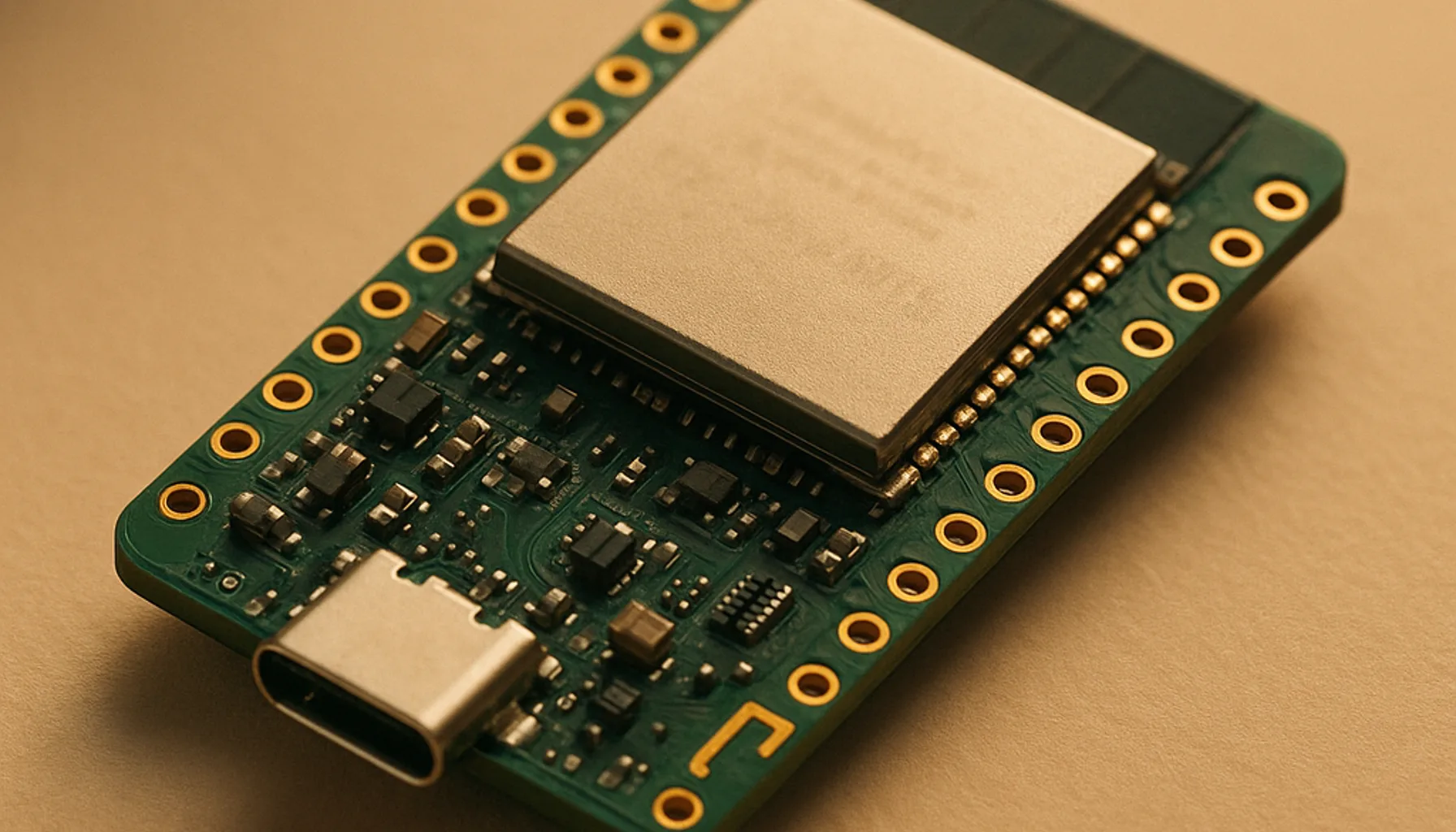
Short answer: the Waveshare ESP32-C6 DevKit is the best ESP32 development board for Home Assistant projects in 2026: Wi-Fi 6, Bluetooth 5 and a Thread/Zigbee radio on one board, 8 MB of flash and a USB-C port — for roughly €15. ESPHome support is mature, and it is the exact board we reference in our step-by-step heat-pump integration guide.
The ESP32 family used to be easy: one chip, four letters. Then Espressif shipped the C3, S3, C6, C5 and P4, and “buy an ESP32” stopped meaning anything specific. Different chips, different radios, different flash sizes, different security. This guide is research-based: we worked from the official Espressif and Waveshare specifications [1] [2] and ESPHome’s documentation [3], and we flag the honest shortfall of every pick — including the winner.
The shortlist
| Board | Chip / speed | Wireless | Flash | Host port | ESPHome | Our take |
|---|---|---|---|---|---|---|
| Waveshare ESP32-C6 DevKit (N8) | RISC-V 32-bit, 160 MHz | Wi-Fi 6 + BT 5.0 + 802.15.4 (Thread/Zigbee) | 8 MB | USB-C | Excellent | Best overall for Home Assistant |
| ESP32-S3 DevKit | Xtensa, 160 MHz | Wi-Fi 4 + BT 5.0 | 4 MB | varies | Excellent | Best when you don’t need 802.15.4 |
| ESP32 classic DevKit | Xtensa dual-core, 240 MHz | Wi-Fi 4 + BT 4.2 | 4 MB | micro-USB | Excellent | Budget king, biggest ecosystem |
| ESP8266 (D1 mini etc.) | Xtensa, 80 MHz | Wi-Fi 4 only | 1–4 MB | micro-USB | Good | Only for €3 single-purpose builds |
What matters in a Home Assistant board
- ESPHome support is the whole game. For Home Assistant, the board is a means to run ESPHome. All three ESP32 chips below are first-class ESPHome platforms; anything that isn’t is a hard pass.
- Host interface. Flashing and logging in over USB without dongles or level converters saves an hour per build. USB-C with simultaneous USB and UART — like the C6 DevKit has — is the best you get at this price.
- Flash. 4 MB versus 8 MB decides how much headroom you have for updates, TLS certificates and future features. OTA over an 8 MB flash is simply more comfortable.
- Radios. Wi-Fi and Bluetooth are table stakes. A 802.15.4 radio (Thread/Zigbee) turns the same board into a Thread-router or Zigbee experiment when you outgrow plain Wi-Fi.
- Price per feature. Overhead of €3 on the chip that covers five years of projects is the correct kind of overspending.
The winner: ESP32-C6
The ESP32-C6 is Espressif’s first Wi-Fi 6 SoC: a RISC-V 32-bit single-core at up to 160 MHz, 512 KB high-performance SRAM, 320 KB ROM — and, in the 8 MB Flash variant we recommend, comfortable room for ESPHome, BLE proxies and TLS [1] [2]. The Waveshare DevKit builds on that with the extras that matter in practice:
- USB-C with simultaneous USB and UART (onboard CH343 + CH334), so you can flash over USB while a serial console is open — the exact workflow that makes the first-time ESPHome flash painless.
- DevKitC-1-compatible pinout, so any ESP32-C6 shield or guide you find also fits this board.
- The 802.15.4 radio (Thread and Zigbee 3.0) on the same board as Wi-Fi — rare in this price class and the reason the board stays useful after the first project.
It is the board we reference in our Mitsubishi CN105 build, where an ESP32-C6 talks to an air conditioner over a UART service port and presents a full climate entity to Home Assistant.
Honest shortfall: the single-core RISC-V design is not a number cruncher — if a project needs heavy math or audio, the dual-core classic is faster. And like every ESP32, it is 2.4 GHz Wi-Fi only.
ESP32-S3: when it’s the smarter buy
If you don’t care about the 802.15.4 radio, the S3 is a legitimate alternative with one real advantage: secure boot and flash encryption [1]. For a device that faces the internet, or where tamper resistance matters, the S3 is the more defensible choice. You give up Wi-Fi 6 and the Thread/Zigbee radio; you keep BT 5.0 and gain hardware-backed security.
ESP32 classic: still the budget king
The original 240 MHz dual-core remains the cheapest ESP32 and has the deepest tutorial base on earth. For cost-sensitive multi-board builds — a row of ESPHome temperature sensors, for example — it still makes sense. But its 4 MB flash, Bluetooth 4.2, micro-USB port and lack of a 802.15.4 radio show a decade of age, and the price difference to a C6 board is a few euros.
ESP8266: not a development board for a smart home
The ESP8266 is a Wi-Fi module with a dev ecosystem, not an ESP32 — and it fails a Home Assistant board on RAM, TLS, Bluetooth and radios. We cover the full spec-by-spec breakdown in ESP32 vs ESP8266, including where it still genuinely wins.
Getting started with ESPHome
Flash the board over USB once (ESPHome add-on → create device → enter Wi-Fi credentials), and every later update is over the air. For a complete end-to-end example — board, firmware, wiring, Home Assistant entities — follow our Mitsubishi CN105 integration, which runs the exact route you’ll take with any ESP32 project.
The verdict
If you buy one ESP32 development board for Home Assistant in 2026, buy the Waveshare ESP32-C6 DevKit. The S3 is the smarter pick when security beats radios; the classic ESP32 is the budget option; the ESP8266 is not a candidate. Every pick has a documented trade-off, and we named them all — that’s the honest ceiling of this guide.
Sources: [1] Espressif — “ESP32-C6” product documentation (espressif.com); [2] Waveshare — “ESP32-C6-DEV-KIT-N8” product page & wiki (waveshare.com); [3] ESPHome — platform & getting started documentation (esphome.io).
Prices and availability checked on 2026-09-30. We earn commissions from qualifying purchases — see our affiliate disclosure.